How it fits together
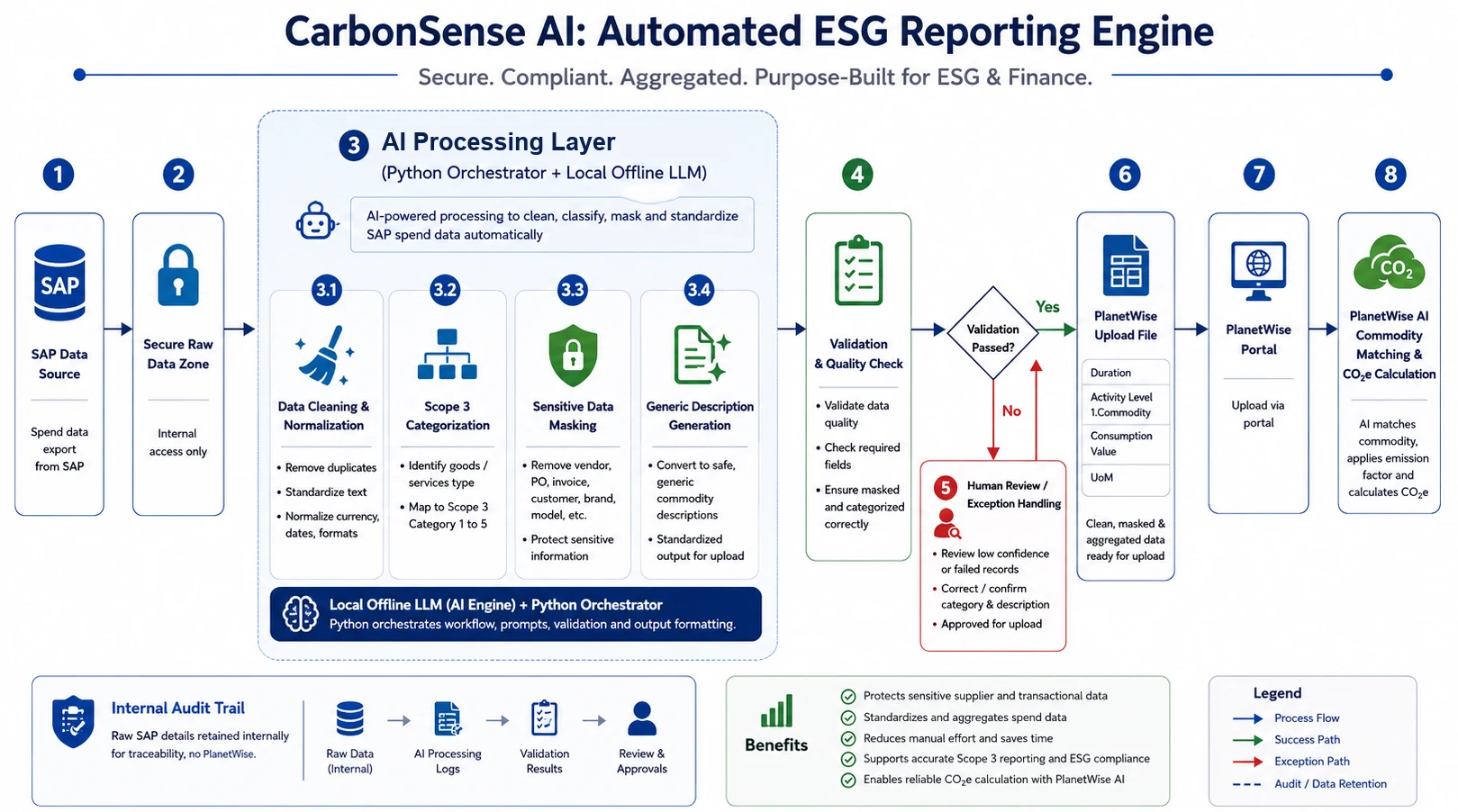
- SAP spend data is exported and kept in an internal-only zone.
- The local LLM, driven by a Python orchestrator, cleans and normalises each line, classifies it to a Scope 3 commodity, masks suppliers, POs, invoices and brands, and writes a safe generic description.
- Every answer is validated automatically: required fields, masking, category and confidence.
- Only the rows the AI is unsure about go to a person for review, instead of every row.
- A clean, masked, aggregated upload file is produced, and a person uploads it to the PlanetWise portal, which calculates the CO2e figures.
- Every step is written to an internal audit trail.
What was delivered
- An Excel workbook with one button per step: load the SAP export, send it to the local AI, build the upload sheet, export the upload file.
- AI processing on the private local LLM: cleaning, Scope 3 classification, sensitive-data masking and generic descriptions, in batches with live progress.
- Two RAG helpers: a list of allowed categories the AI must choose from, and a memory of confirmed classifications that skips the AI for answers already known.
- A confidence threshold that flags uncertain rows for human review, plus a cheap review-only re-run for just those rows.
- A final scan before export that confirms no sensitive data slipped through, and a permanent audit log of every run.
Why it matters
Preparing spend data for Scope 3 reporting used to mean people reading, classifying and masking every SAP line by hand, for days per business unit, every reporting cycle. Now the local AI does that work in a single run, saving about 100 man-hours a year compared with doing it by hand. It gets more consistent as confirmed answers accumulate, and keeps the person for the parts that need judgement: the uncertain rows and the final upload.