AI-AutoPrint POC: turning customer mockups into print-ready artwork
Delivered · 05 Jul 2026
A proof of concept for a print shop problem: shirt designs arrive as flat mockup pictures that Illustrator cannot print. In AI-AutoPrint, Claude AI reads the mockup and directs ChatGPT image generation to rebuild the artwork, and the results come back into the AutoPrint app as separate pieces a designer can check, regenerate and download.
AI-AutoPrint 概念验证:把客户效果图变成可直接印刷的设计稿
交付日期 · 2026 年 7 月 5 日
为印刷店的一个老问题做的概念验证(POC):衣服设计常常只是一张效果图,Illustrator 没办法直接拿来印。在 AI-AutoPrint 里,Claude AI 看懂效果图,再指挥外部的 ChatGPT 图像生成把设计稿重建出来,结果回到 AutoPrint 应用里,拆成一件件素材,让设计师检查、重新生成和下载。
AI-AutoPrint 概念驗證:把客戶效果圖變成可直接印刷的設計稿
交付日期 · 2026 年 7 月 5 日
為印刷店的一個老問題做的概念驗證(POC):衣服設計常常只是一張效果圖,Illustrator 沒辦法直接拿來印。在 AI-AutoPrint 裡,Claude AI 看懂效果圖,再指揮外部的 ChatGPT 圖像生成把設計稿重建出來,結果回到 AutoPrint 應用裡,拆成一件件素材,讓設計師檢查、重新產生和下載。
DeliveryPOCPrintAI pipeline
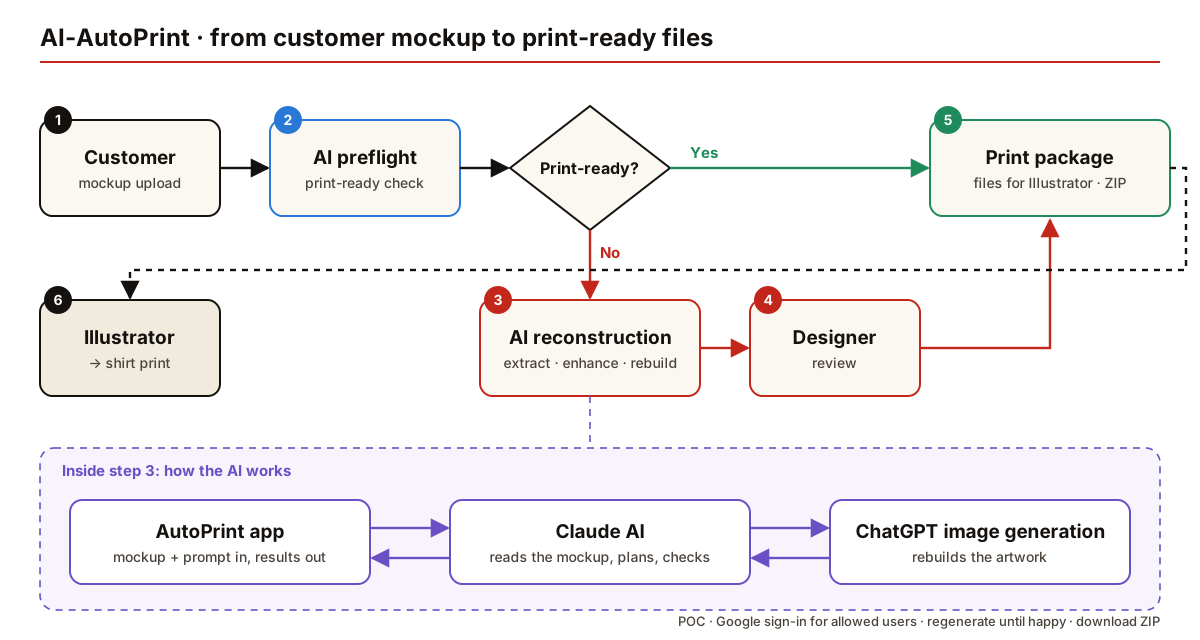
The process flow
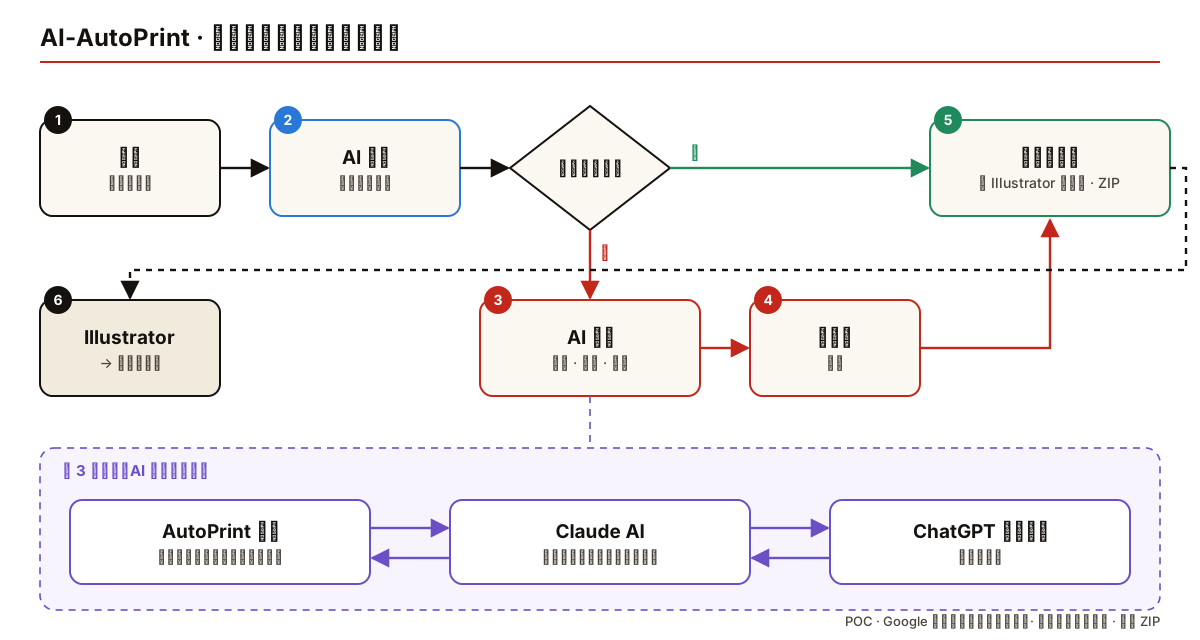
From customer mockup to print-ready files · click to enlarge
Every upload is checked first. A file that is already print-ready goes straight into the package. A flat mockup goes through AI reconstruction and a designer's review before it is packaged for Illustrator.
Inside the reconstruction step, the AutoPrint app hands the mockup and the prompt to Claude AI. Claude works out what is in the picture and what to ask for, calls ChatGPT image generation to rebuild the artwork, checks what comes back, and returns the results to the app.
The problem
Customers send a picture of the finished shirt, not the artwork. Logos, text, illustrations and the front, back and sleeves are all flattened into one low-resolution image with no layers, so it cannot be scaled or separated for printing. Today someone redraws it by hand in Illustrator.
What the POC covers
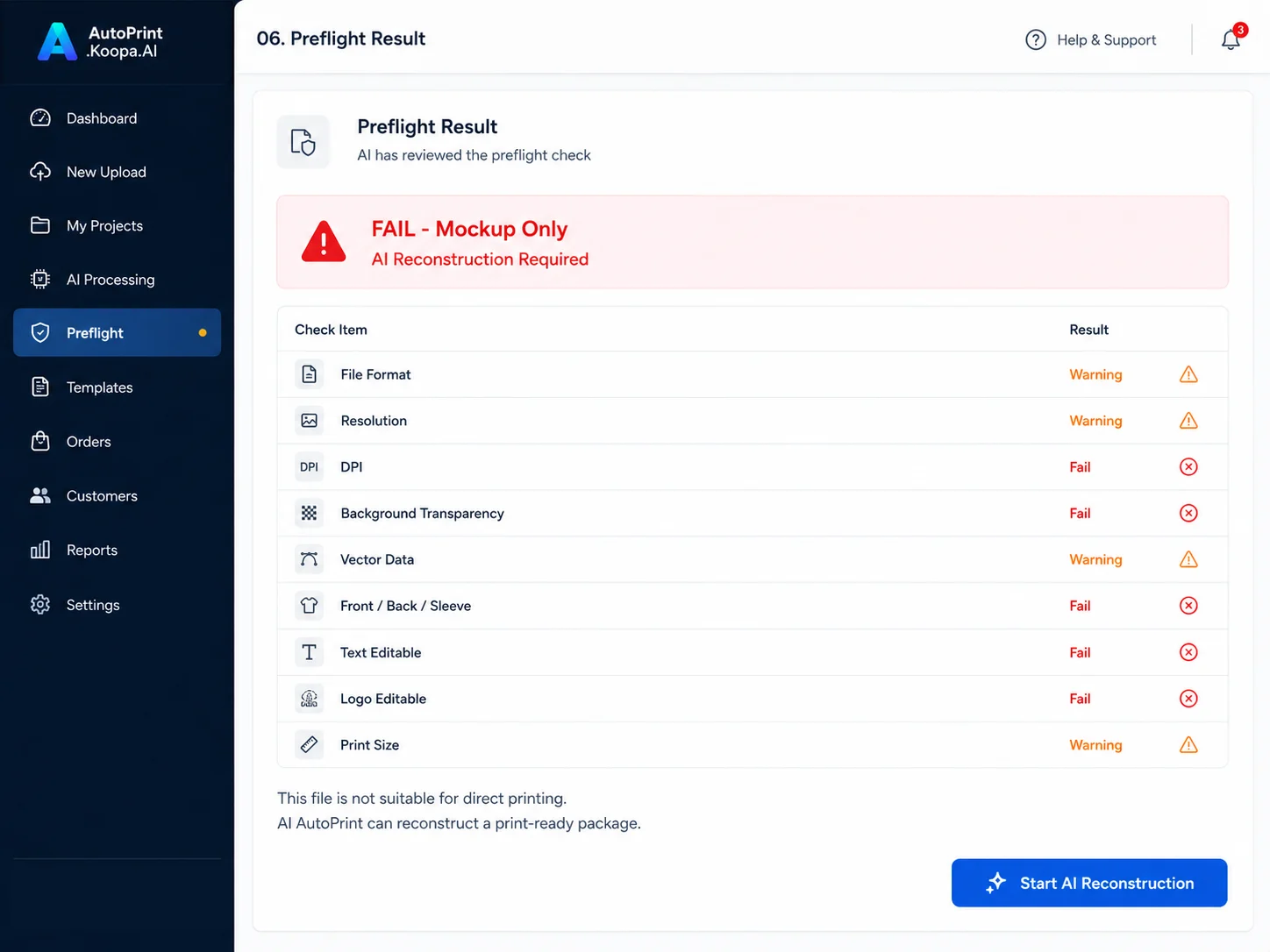
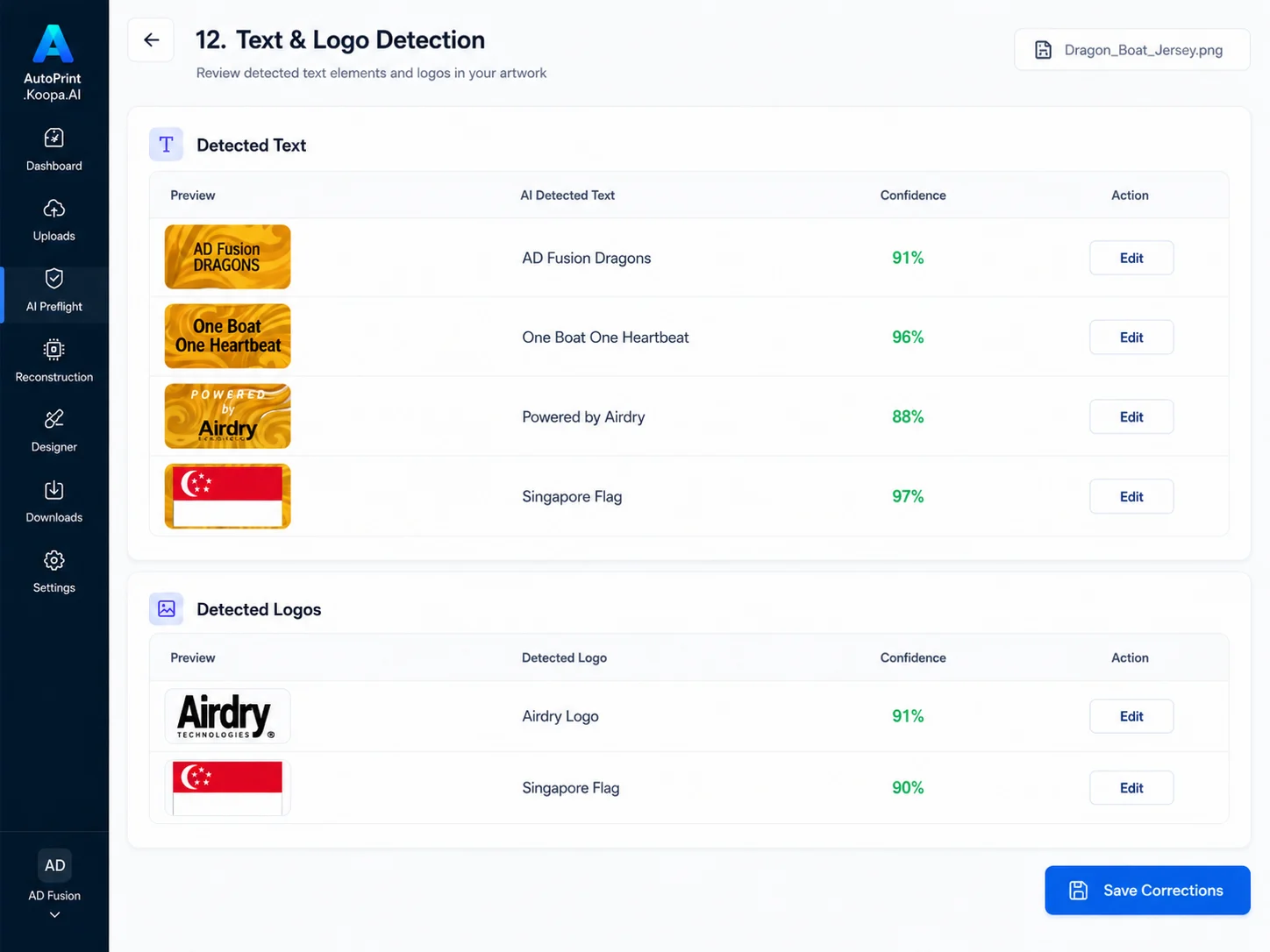
AI preflight: checks format, resolution, DPI, transparency, separated front/back/sleeve, editable text and logos, and print size, then returns pass, warning or fail.
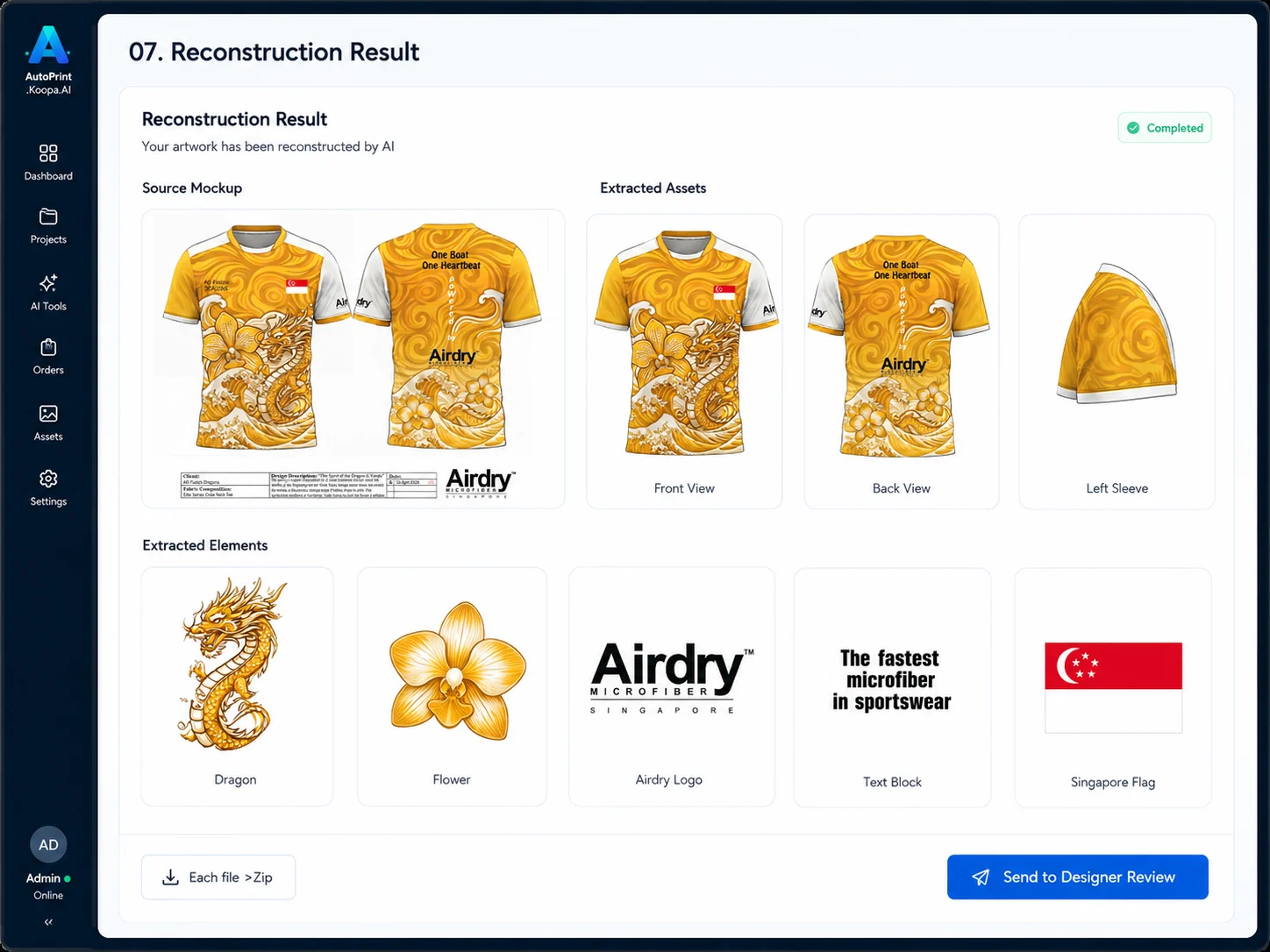
AI reconstruction: Claude AI connected to external ChatGPT image generation, which rebuilds the front, back, sleeve and each element as clean, separate artwork.
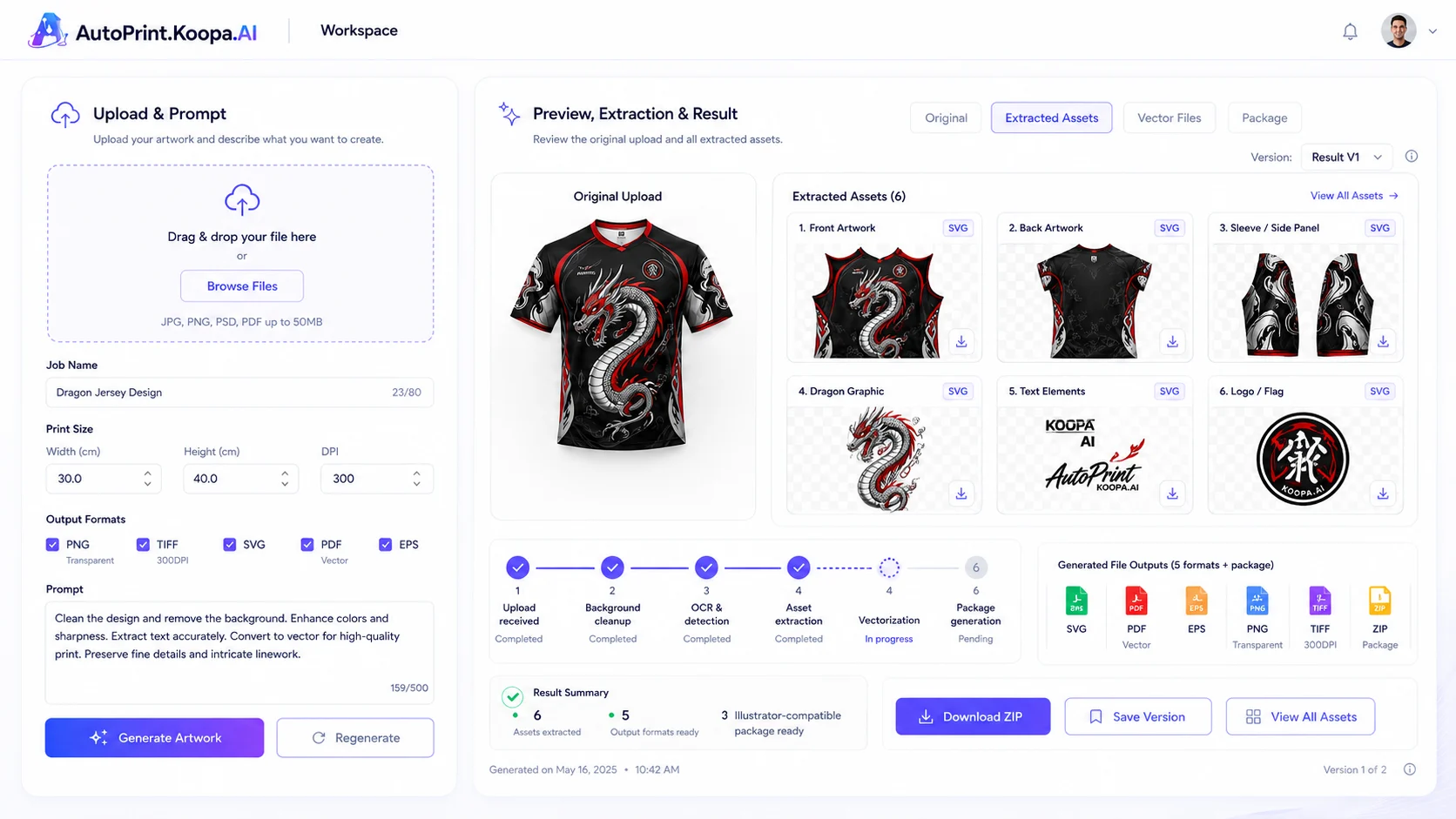
Results back in the app: original beside the extracted pieces, with regenerate until it is right, saved versions, and a ZIP download.
A deliberately small app: Google sign-in for an allow-list of users, one workspace page, and a settings page for the AI connections.
A designer keeps the final say before anything is printed.
The screens
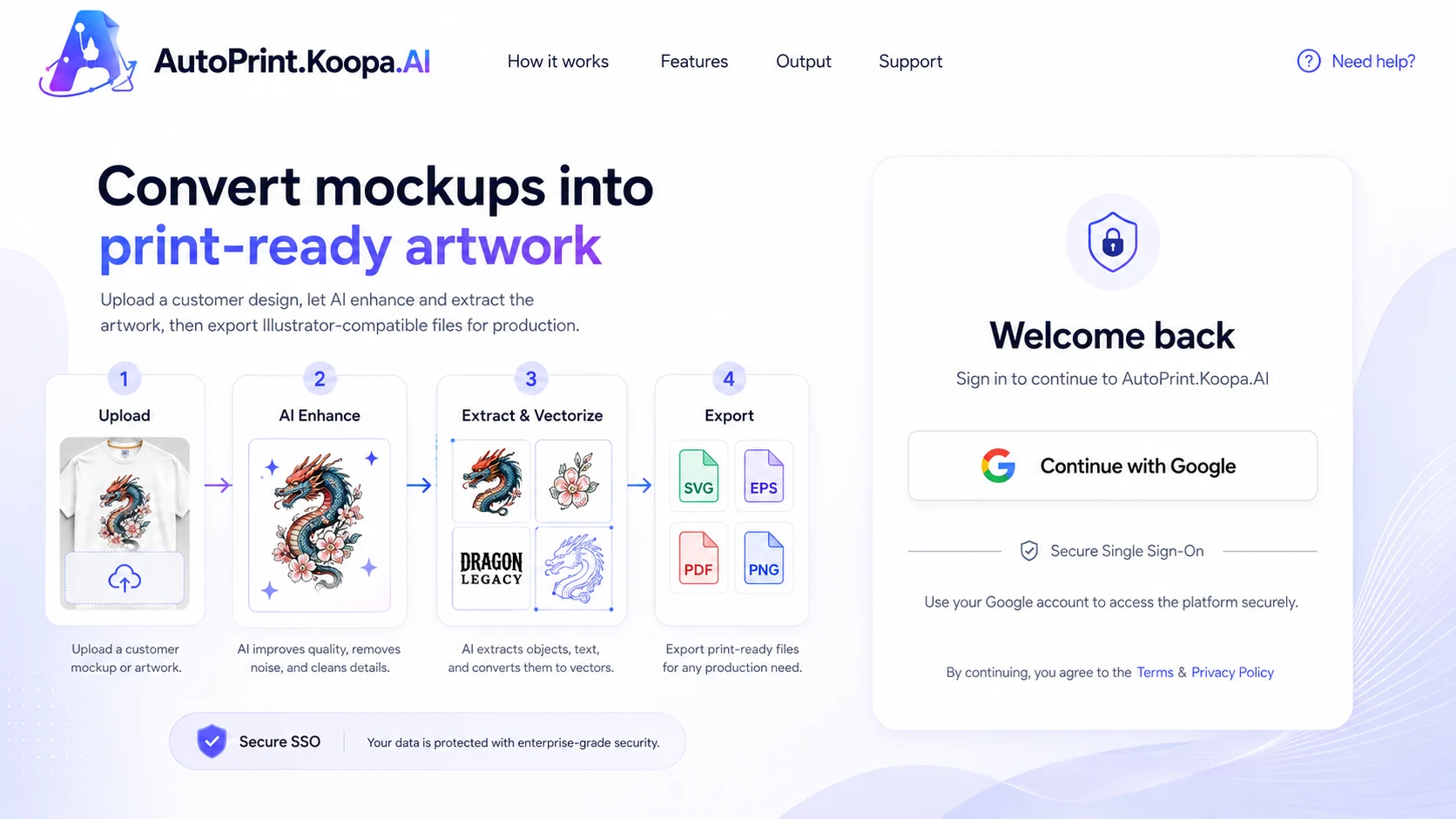
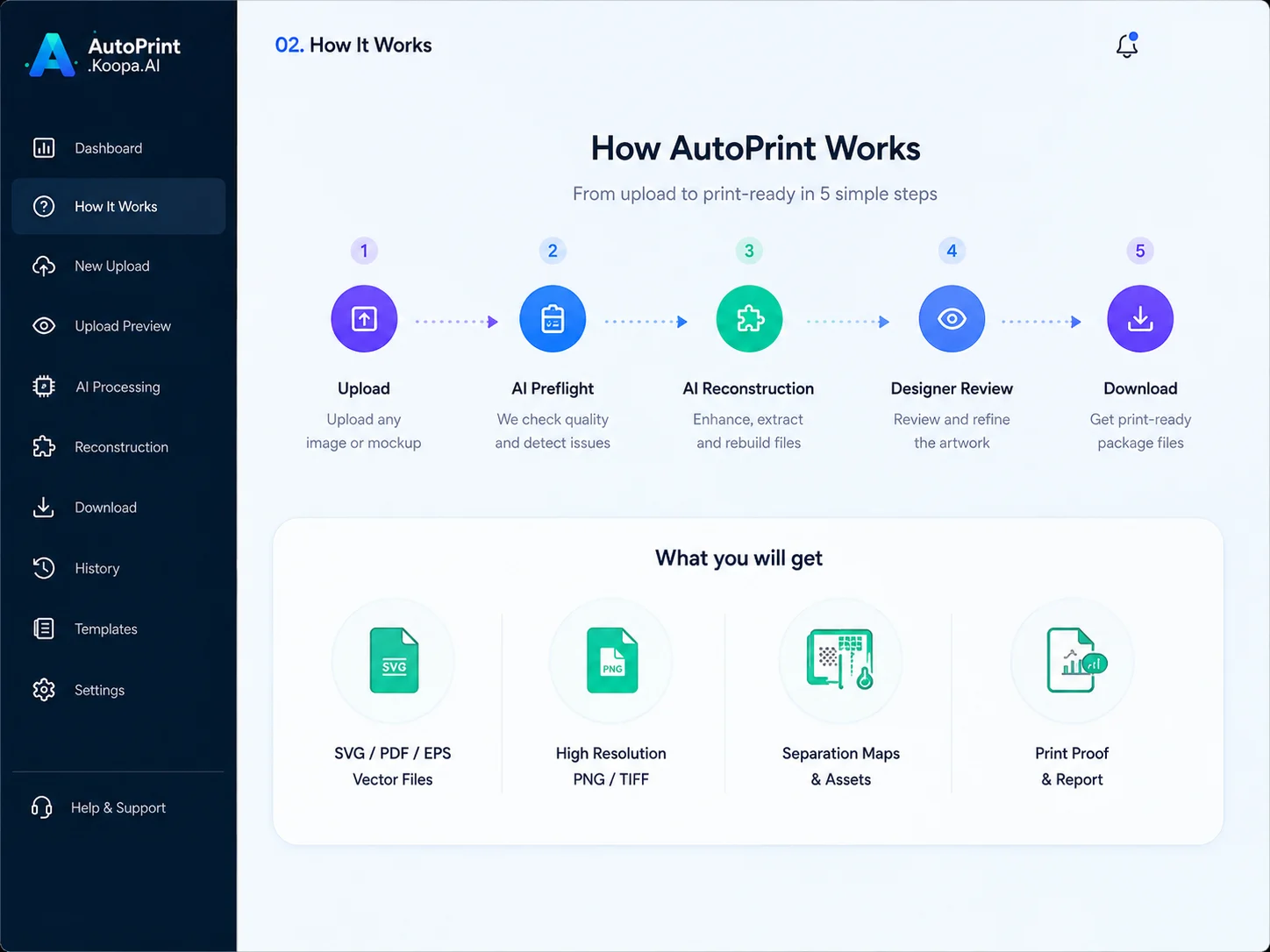
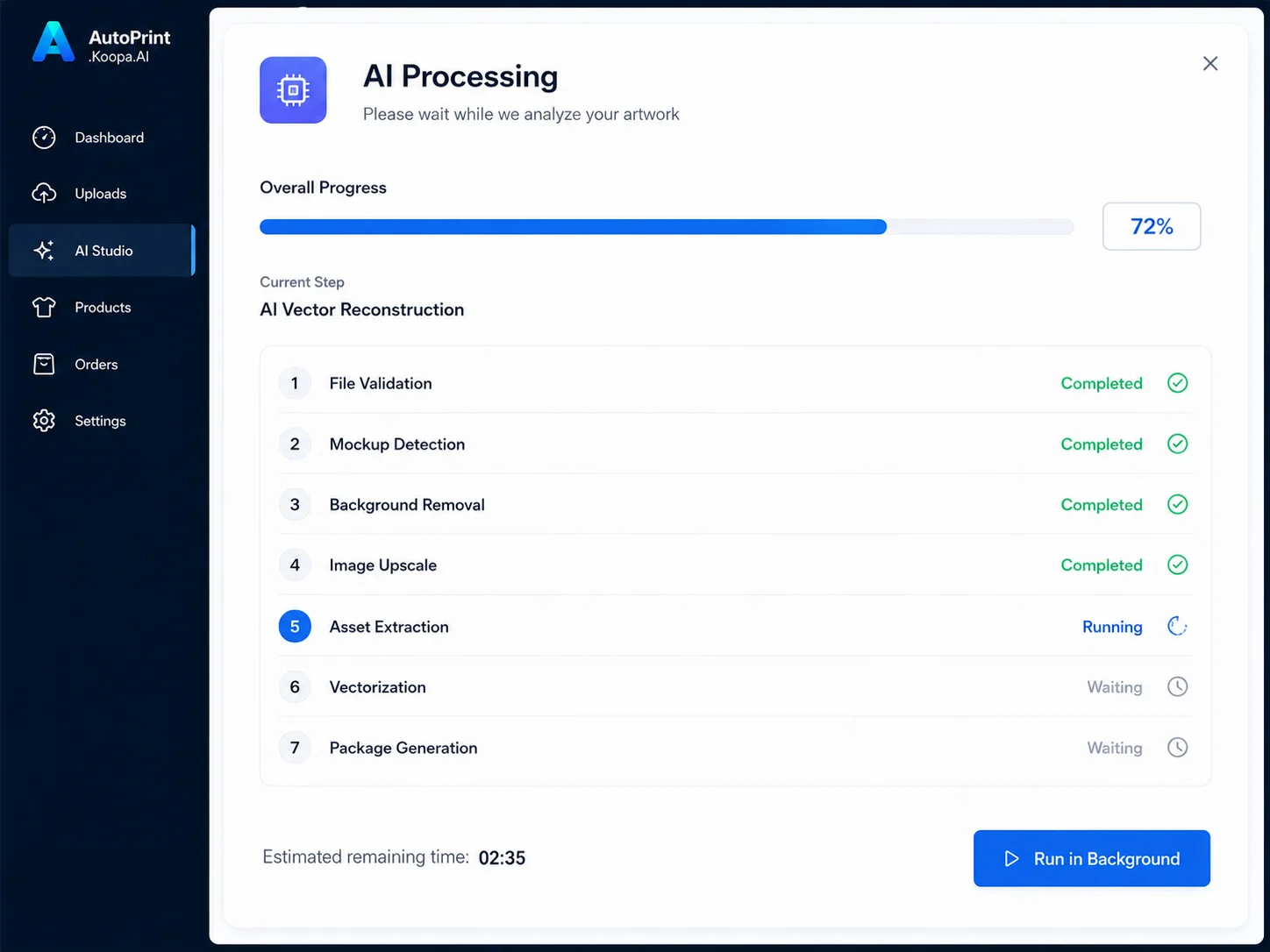
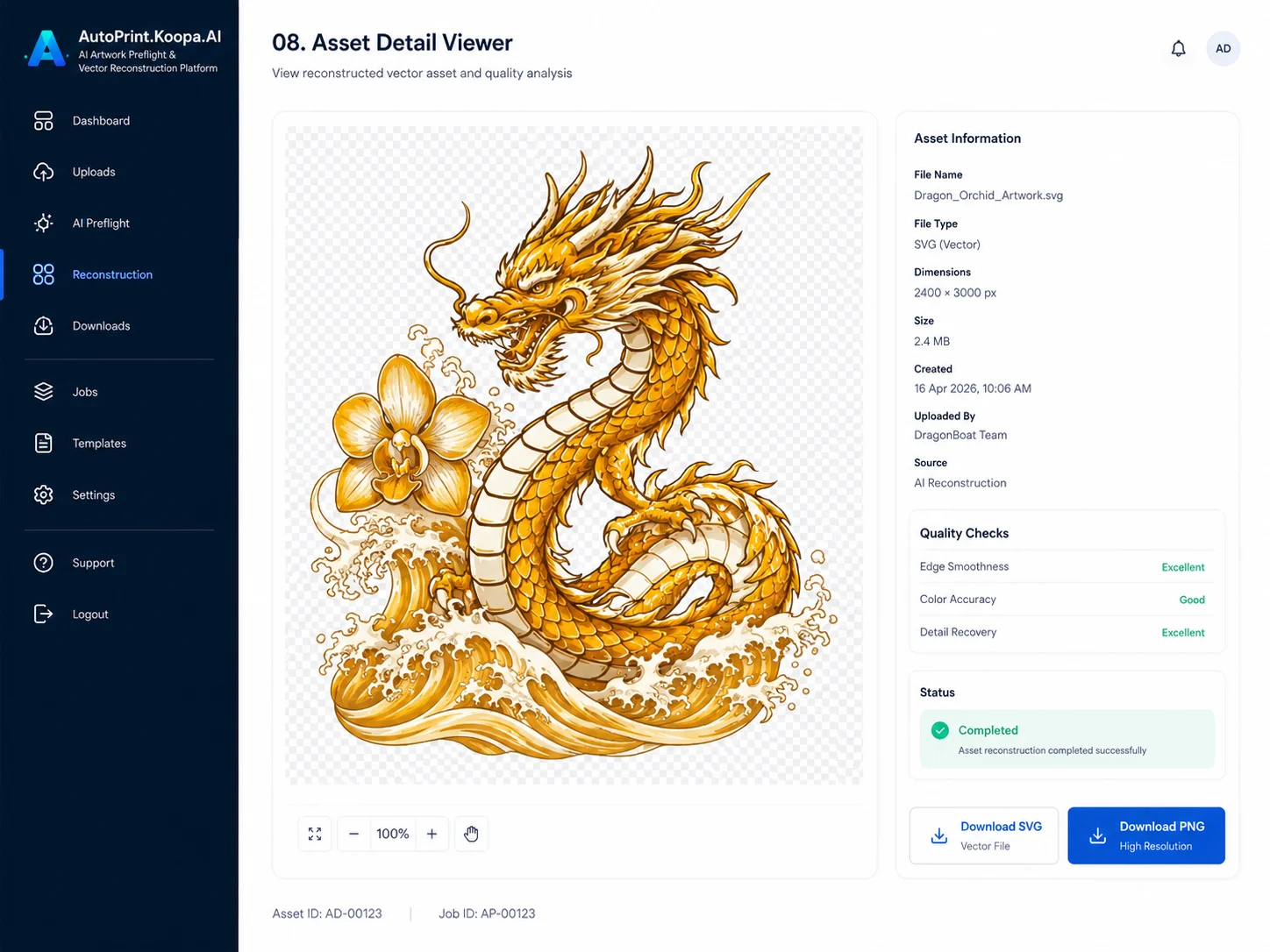
Sign-in page: how the tool works, in four stepsHow it works: upload, preflight, reconstruction, review, downloadWorkspace: upload and prompt on the left, extracted pieces on the rightPreflight result: a mockup fails, AI reconstruction neededAI processing: each step with live progressReconstruction result: front, back, sleeve and each elementText and logo detection, with confidenceOne rebuilt element, ready to download
Screen concepts and sample outputs made with ChatGPT image generation. The jersey artwork is sample content for the POC.
Why it matters
AI cannot promise a perfect production file from a flat picture, so the POC is honest about it: AI does most of the preparation, and a designer keeps the final say. The print shop stops redrawing artwork from scratch and starts from clean, separated pieces instead.
Stack
Claude AIChatGPT image generationGoogle sign-in
流程图
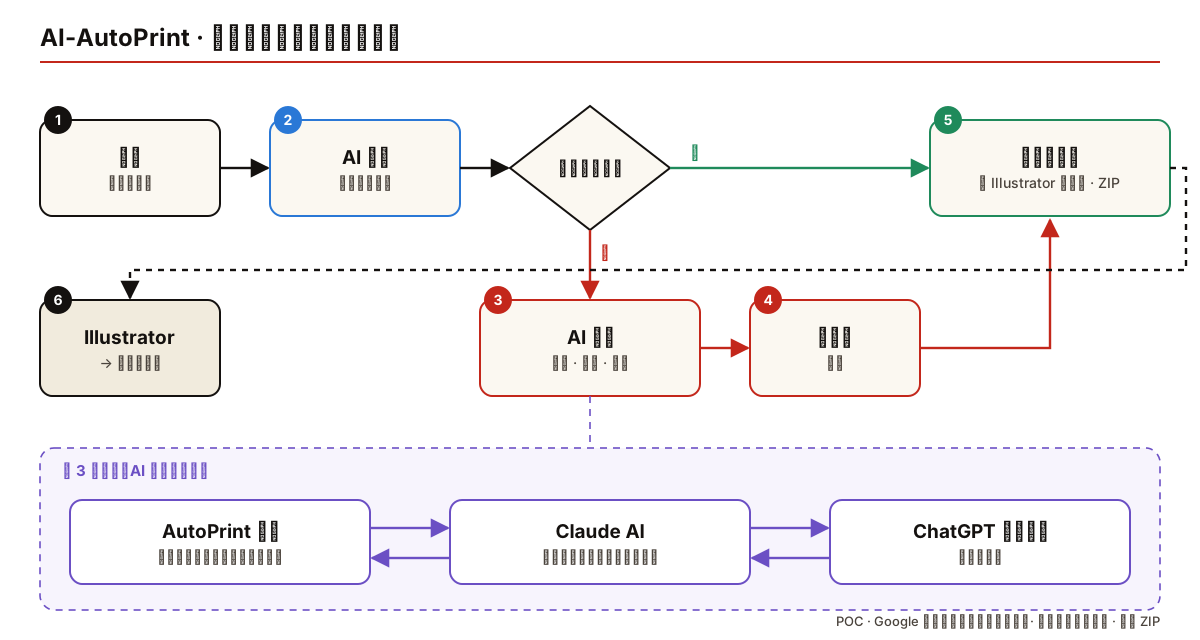
从客户效果图到可印刷文件 · 点击放大
每个上传的文件都先检查。已经可以直接印刷的,直接打包;只是效果图的,先经过 AI 重建和设计师审核,再打包给 Illustrator。
在重建这一步里,AutoPrint 应用把效果图和提示词交给 Claude AI。Claude 先弄清楚图里有什么、该怎么要求,再调用 ChatGPT 图像生成来重建设计稿,检查拿回来的结果,然后送回应用。